 Ownplate
The meal planner you own.
Pick dinners for the week. Get one grocery list, sorted by aisle. Pay once. Your recipes stay on your device — nobody can shut it down on you.
Works on iPhone, Android, Windows, Mac, Chromebook. No account. No subscription.
-
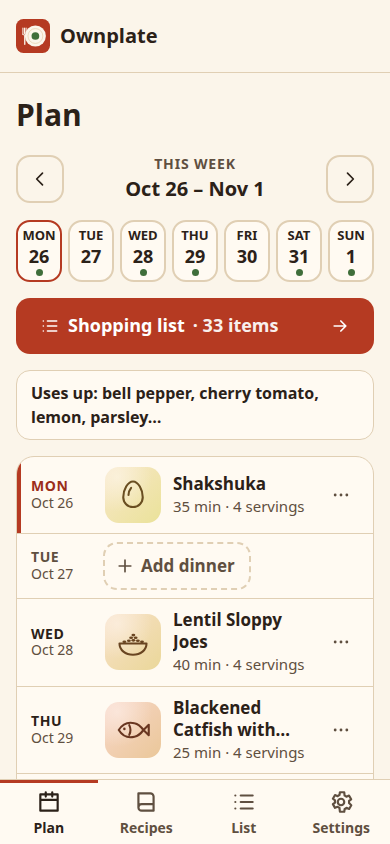
Plan the week -
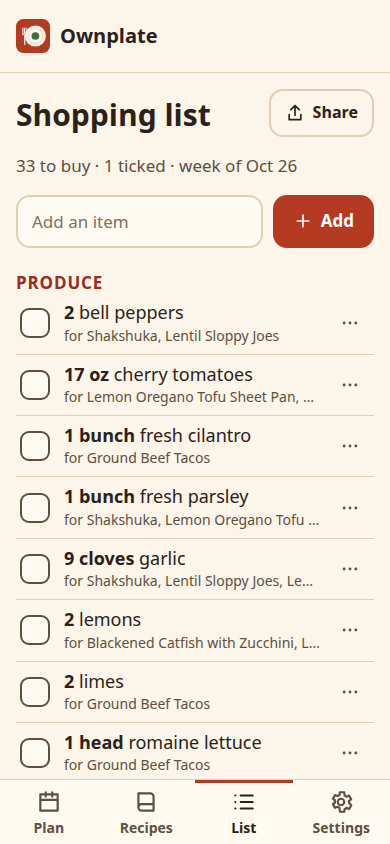
One list, by aisle -
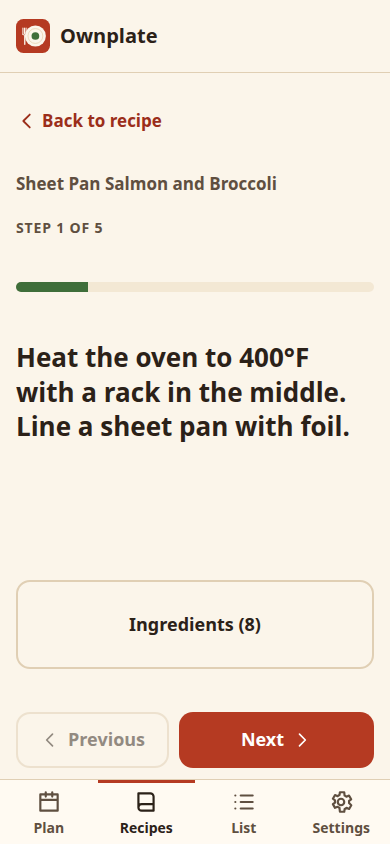
Cook step by step
Why Ownplate
Dinner sorted, without the strings.
-
Plan in 2 minutes
Tap “Plan my week” and Ownplate picks dinners that share fresh ingredients, so less goes to waste. Move or change any night you like.
-
One list
Every recipe’s ingredients merged into one list, sorted by aisle. Check things off as you shop, and share the list with your family.
-
Yours forever
Your data lives on your device and works offline. Make a backup file with one tap. Export is never locked behind a paywall.
Switching apps?
Moving from Mealime?
Mealime closed on October 21, 2026 and deleted user data. Ownplate is built for the same weeknight job: quick dinners, a grocery list by aisle, and a cook mode.
Paste in the recipes you remember, or import them from most recipe websites with a link (Pro). Your recipes then stay on your device, and you can export them any time.
Ownplate is not affiliated with Mealime or Albertsons.
Price
Free to use. $19.99 once for everything.
| What you get | Free forever | Pro |
|---|---|---|
| Recipes included | 24 | 120+ and future recipe packs |
| Your own recipes | Up to 10 | Unlimited |
| Plan ahead | This week and next | 8 weeks |
| Import from a recipe link | No | Yes |
| Grocery list by aisle | Yes | Yes |
| Pantry | Yes | Yes |
| Cook mode with timers | Yes | Yes |
| Backup and restore | Yes | Yes |
| Price | $0 | $19.99 once |
Pay once. No subscription, no trial that charges you, no ads. Your key works offline forever.
Questions
Good to know
Do I need an account?
No. Open the app and start planning. There is nothing to sign up for.
Where is my data?
Only in your browser on this device. Back it up with one tap in Settings. To move to another device, open the backup file there.
What if benjiapps disappears?
The app keeps working offline from your home screen. Your key is checked on your device, not on our server. Your backup file is plain JSON, so any program can read it.
How do I install it?
- iPhone and iPad: open the app in Safari, tap Share, then Add to Home Screen.
- Android and Chromebook (Chrome): tap Install app in the menu.
- Windows and Mac (Chrome or Edge): click the install icon in the address bar.
Can I get a refund?
Yes, within 30 days, no questions asked. Just reply to your receipt email. The details are in the Ownplate terms.
Can I share the grocery list?
Yes. The share or copy button sends the list to any messaging app, so the whole family can see it.
Is there nutrition info?
Not yet.
I lost my key. What now?
Go to Settings, then Unlock, then “Lost your key?”. We email it to you again.